01 · LIVE WALL
All your cameras, AI watching every one
The main screen. Every camera is live with the AI drawing boxes round what it sees. Pick a 1, 4, 6 or 9 grid, and arrange it however you like.
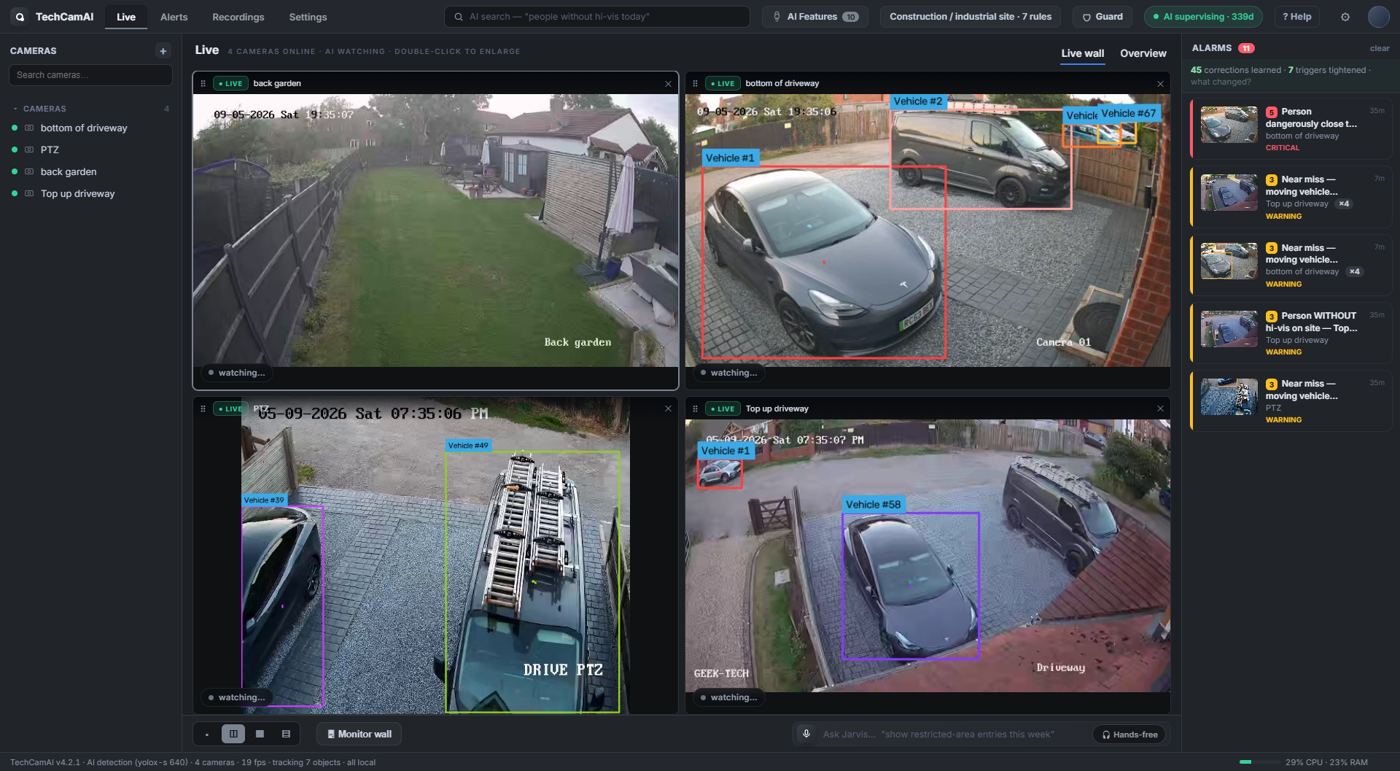
Live wall · 4 cameras · people, vehicles and plates boxed in real time
- Drag and dropGrab any camera box, or a name in the side list, and drop it where you want it. The layout is remembered.
- Double-click to enlargeSwitches that camera to full HD quality while it is big, back to smooth when you restore.
- Monitor wallPush a grid to a second screen or a TV for the guard room. Save layouts as templates.
02 · ENLARGED VIEW
Full quality when you need to read a face or a plate
One double-click. The camera jumps to its full-resolution stream, with digital zoom on the scroll wheel and PTZ controls on cameras that can move.
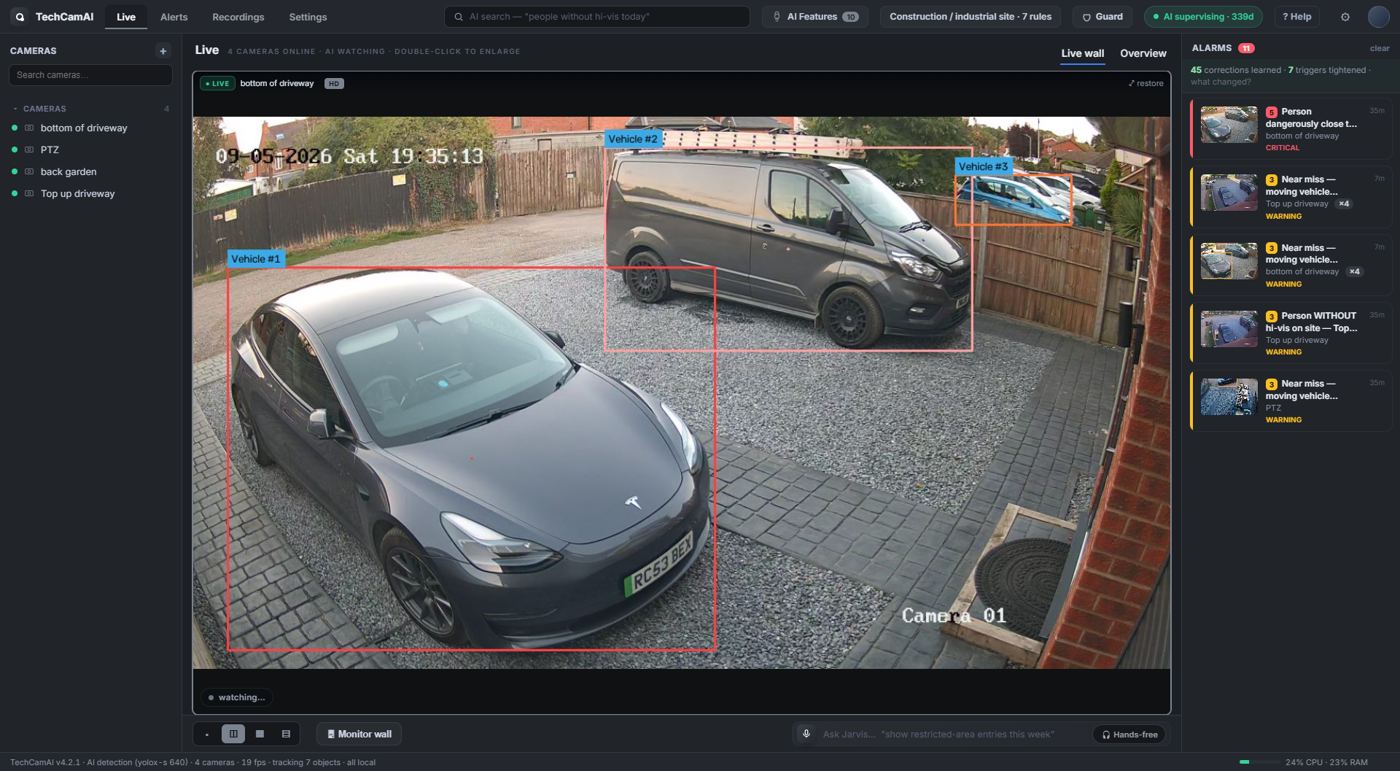
Enlarged · HD stream · vehicles tracked and labelled
03 · ALERTS
Only the things worth your time
Every alert has a picture, a clip, a severity and a plain-English reason. Critical ones are spoken out loud if you want.
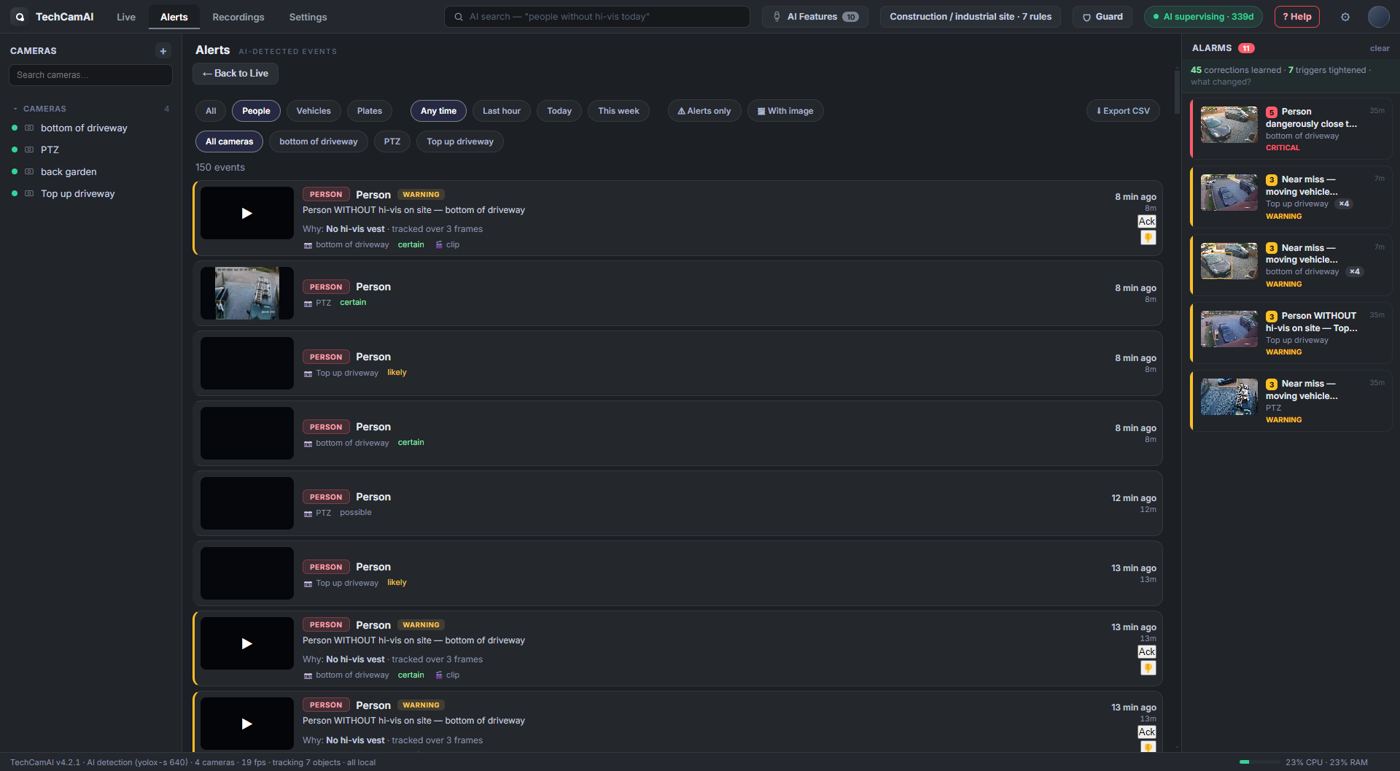
Alerts · thumbnail, camera, reason, severity · 👍 / 👎 teaches the AI
- Thumbs up / downTell it when it got one wrong. It remembers the look-alike and stops raising it.
- ExplainEach alert can show why it fired and what the AI has learned about that spot.
- Clips savedA short clip is cut for every alert so you can see exactly what happened.
04 · RECORDINGS
Scrub through the day, camera by camera
Pick a camera and a date, scan the timeline, click a thumbnail to play from that moment. Works with your NVR recordings or local backup.
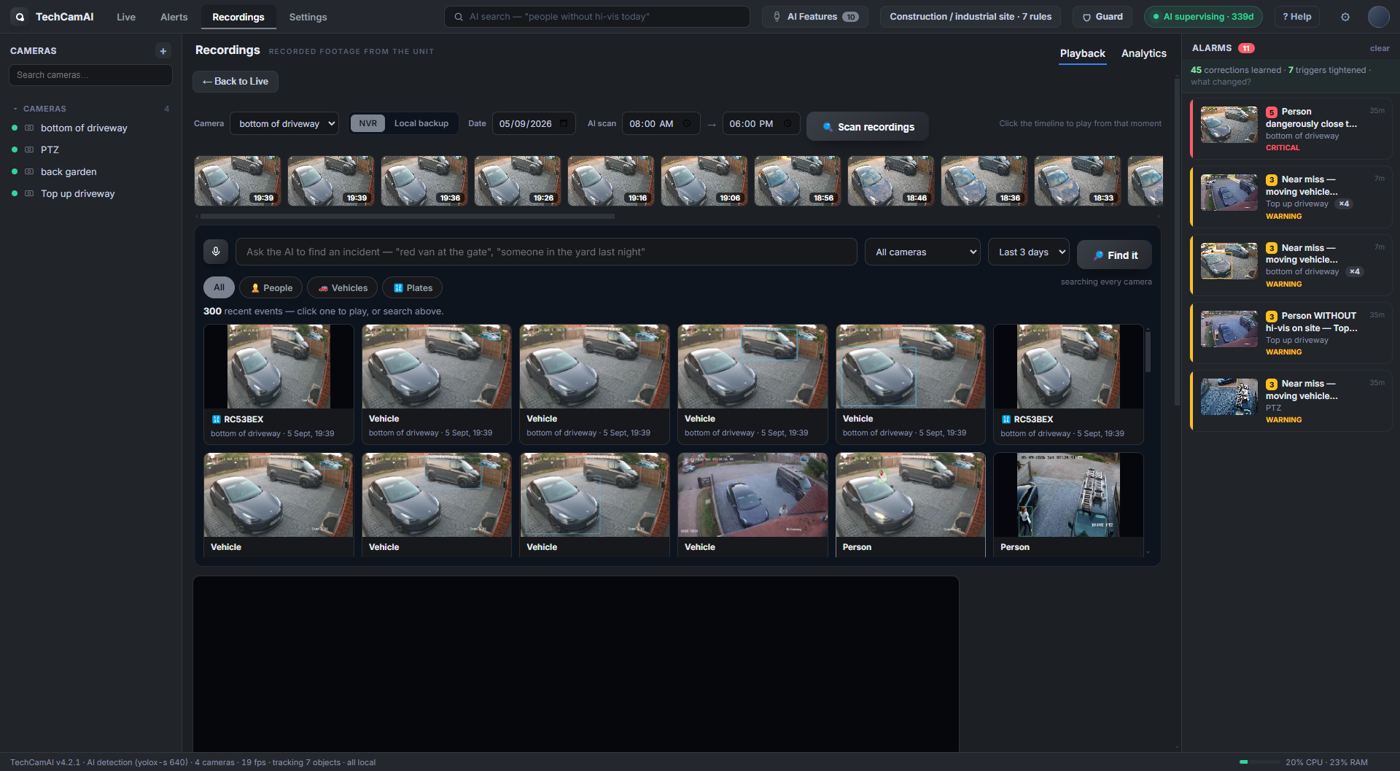
Recordings · NVR or local · timeline thumbnails every few minutes
05 · AI SEARCH
Type what you are looking for
"White van", "person after 10pm", "red car on the driveway" — it searches every camera and shows the matches. Click one to play it.
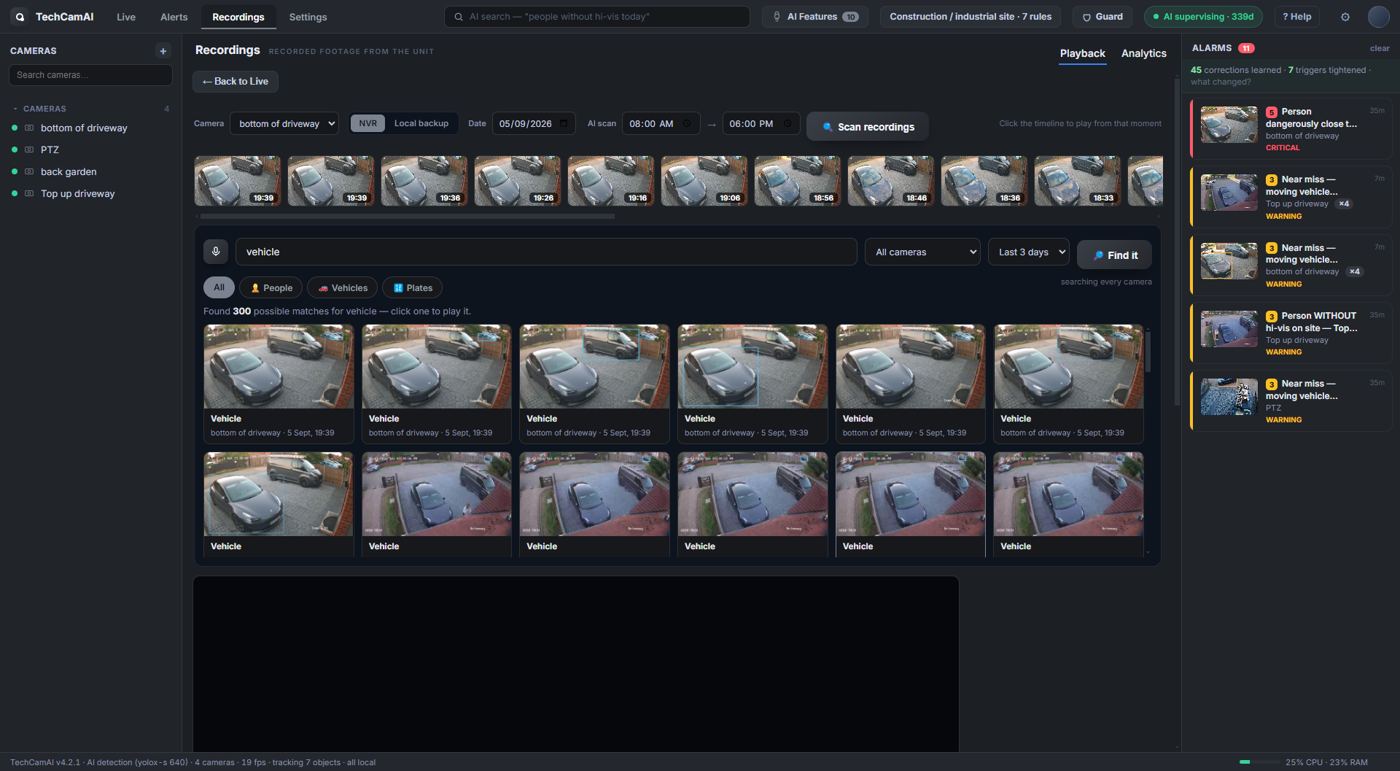
AI search · people, vehicles, plates · last 3 days or any range
06 · AI FEATURES
Tick what matters on your site
Choose the site type once (construction, retail, yard, home…) and the right rules switch on. Fine-tune them here: people, vehicles, plates, PPE, close-call, restricted zones, loitering, out-of-hours.
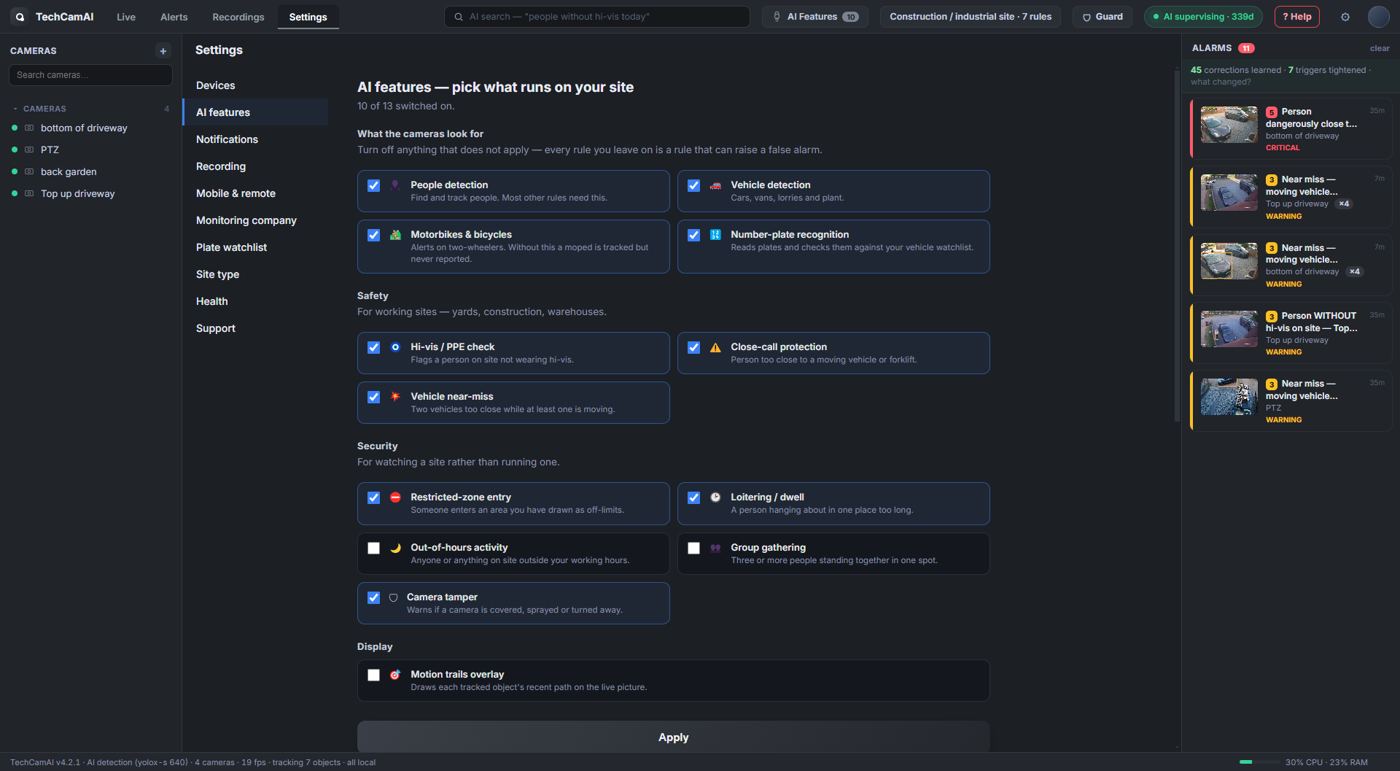
AI features · one tick per rule · runs fully on the PC, no cloud
07 · WHAT THE AI HAS LEARNED
It gets better every week, and shows you how
Every correction you give is kept, camera by camera. This page shows what it now treats as normal, what it has tightened, and lets you forget anything you disagree with.
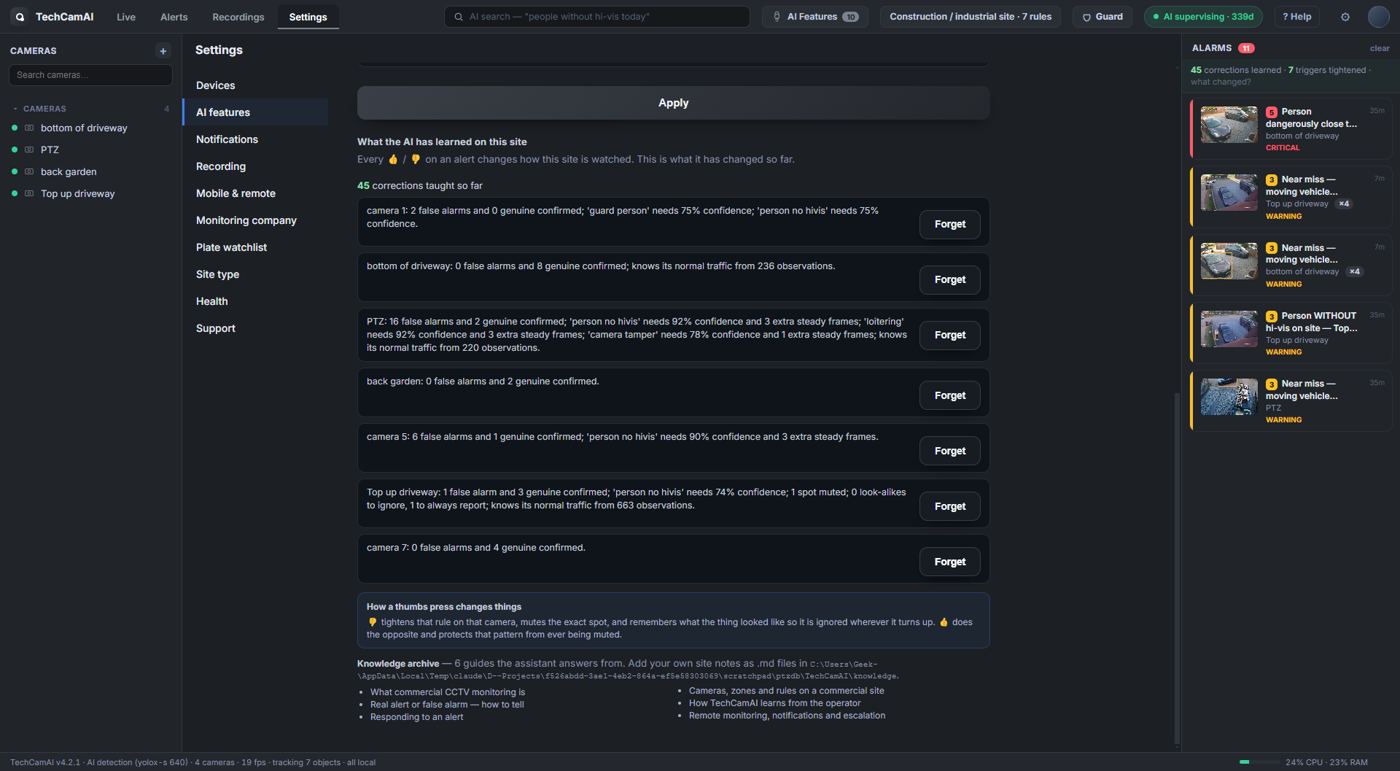
Learned · false alarms and confirmed alerts per camera · site rhythm · knowledge guides
08 · ASSISTANT
Ask your site anything, hands free
Type or just say "Hey Jarvis". It answers from your own recordings and alerts, and it can do things: show a camera, watch a plate, open the wall, give a status report.
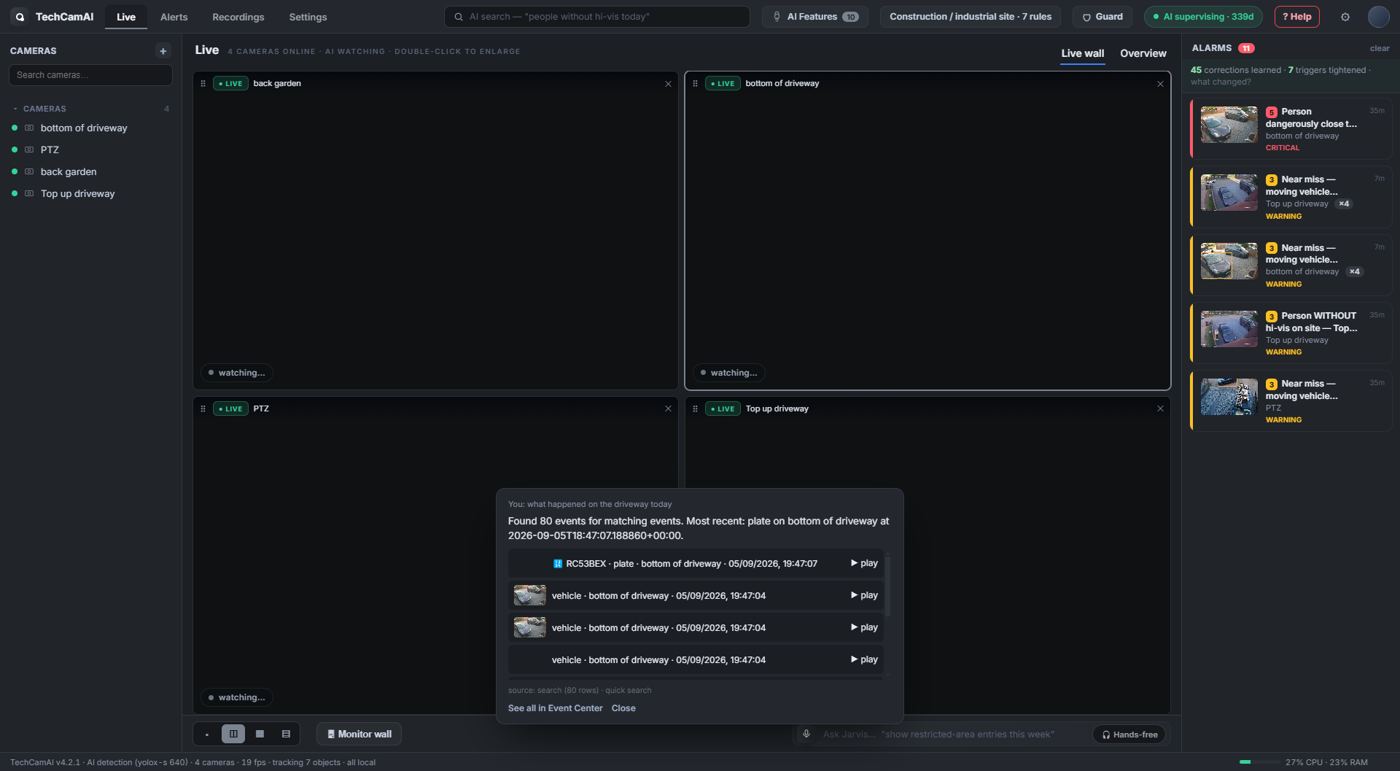
Assistant · voice in and out, fully offline · answers grounded in your records
09 · PLATE WATCHLIST
Number plates read and flagged
Every plate is read and logged. Put a plate on the blacklist, allow list or watch list — by typing it or by saying it — and get told the moment it shows up.
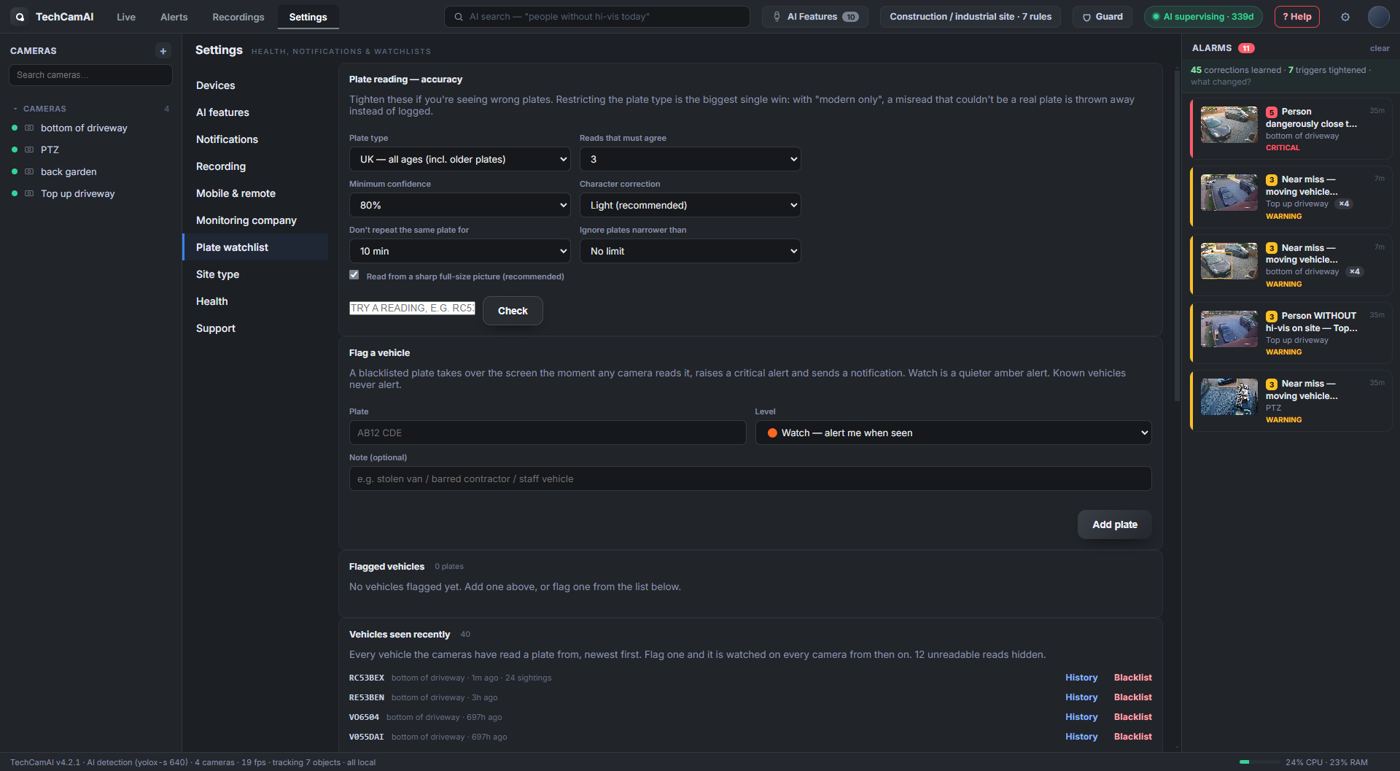
Plates · blacklist / allow / watch · recent reads per camera
10 · NOTIFICATIONS
Email, Telegram, webhook, quiet hours
Decide who hears about what, and when. A daily briefing can be sent every morning.
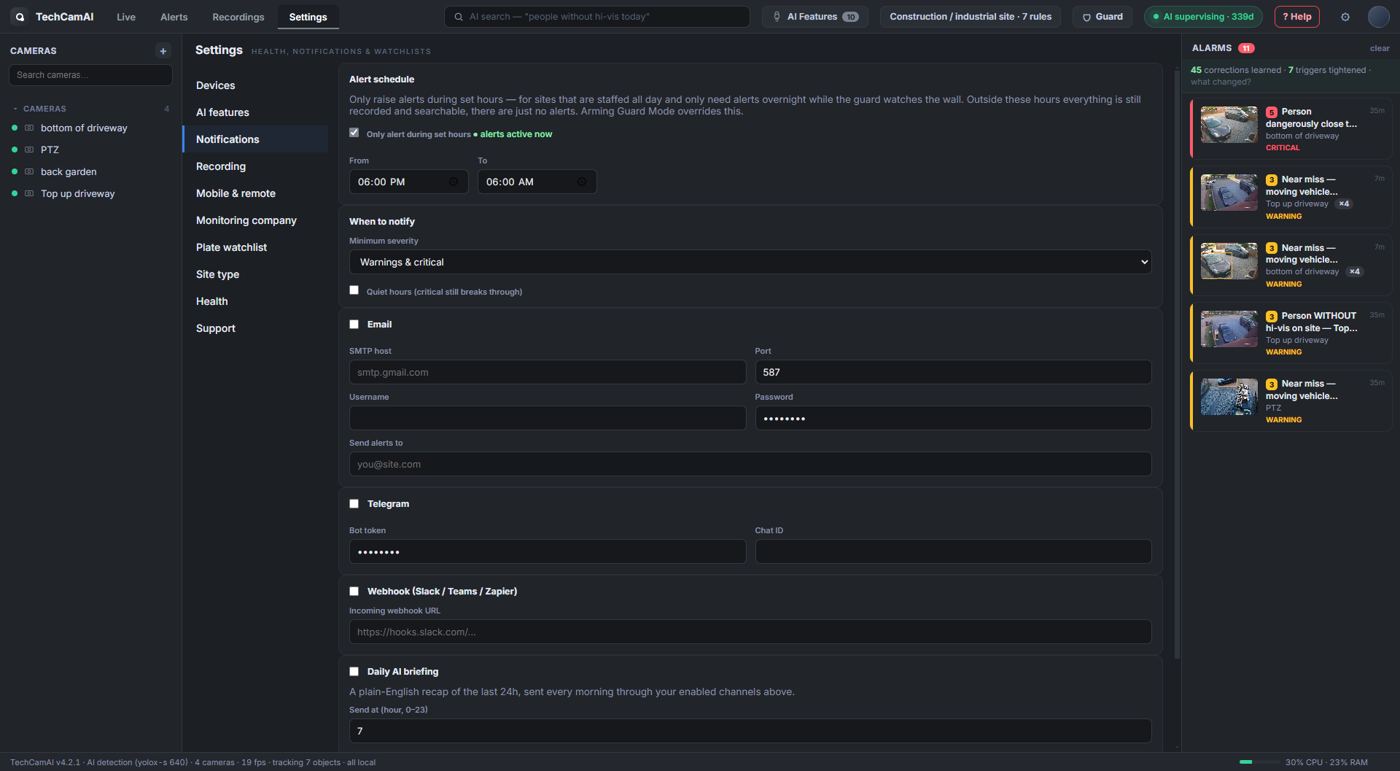
Notifications · per-severity routing · daily AI briefing
11 · MONITORING COMPANY
Feed your alarm receiving centre
Send alerts to a third-party monitoring company or your own systems: signed webhook, email or Telegram, with a heartbeat so they know the site is up, and a printable handover sheet for keyholders.
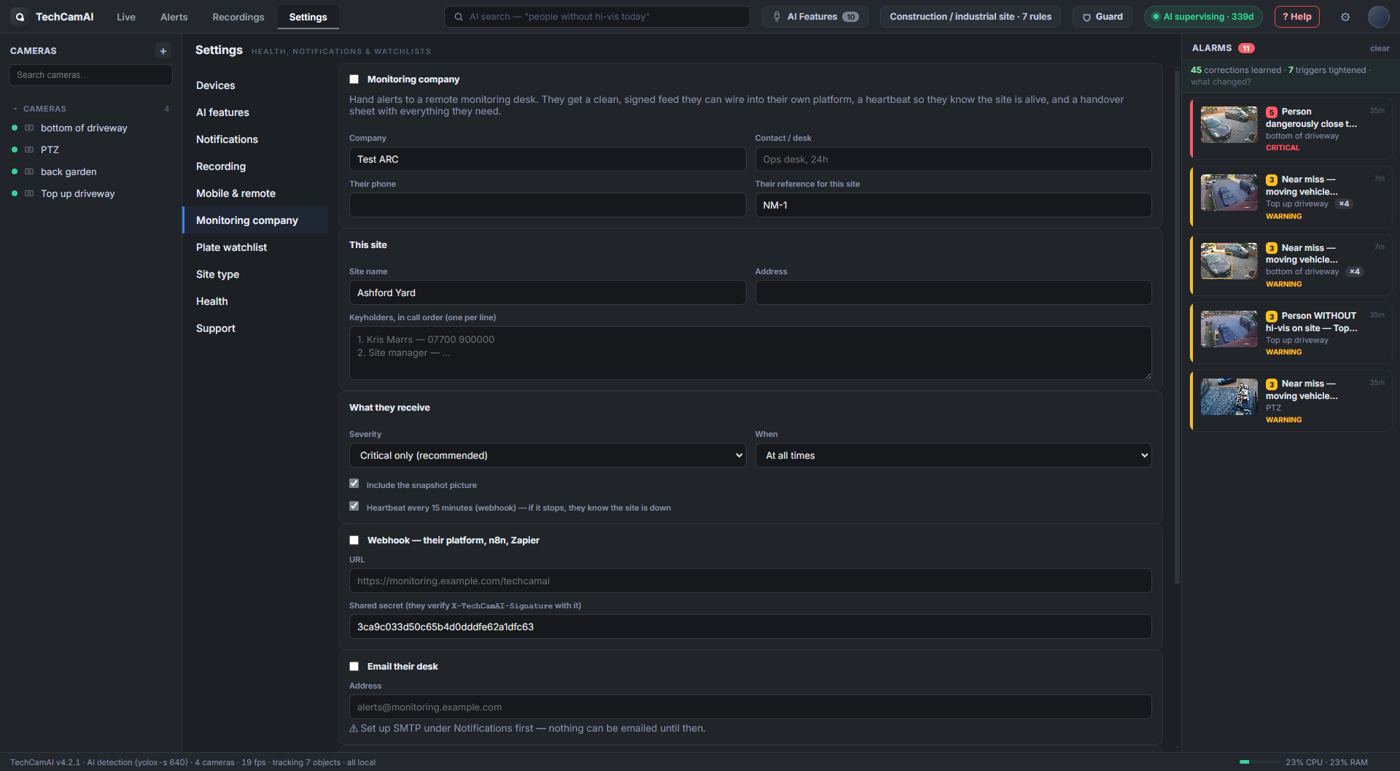
Monitoring company · signed webhook + heartbeat · keyholders · handover
12 · PHONE ACCESS
Check the site from your phone
Scan a QR code and the phone page opens with a PIN: live views, latest alerts, one-tap responses. Works on your network, or remotely if you switch it on.
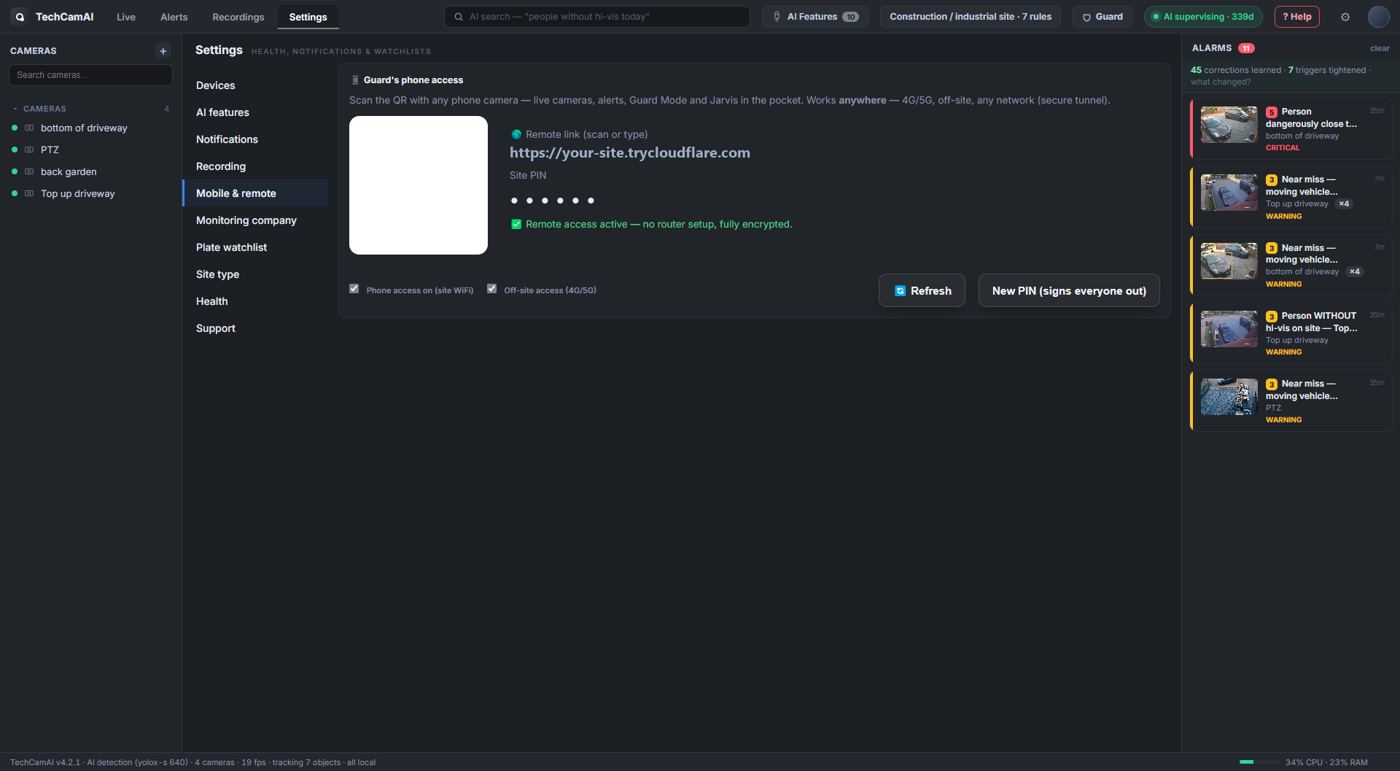
Mobile & remote · QR pairing · PIN protected
13 · HEALTH
Know what the PC can honestly handle
Cameras online, load, memory, disk, and a straight answer to "how many cameras can this machine watch". It drops the AI rate by itself when the machine is busy.
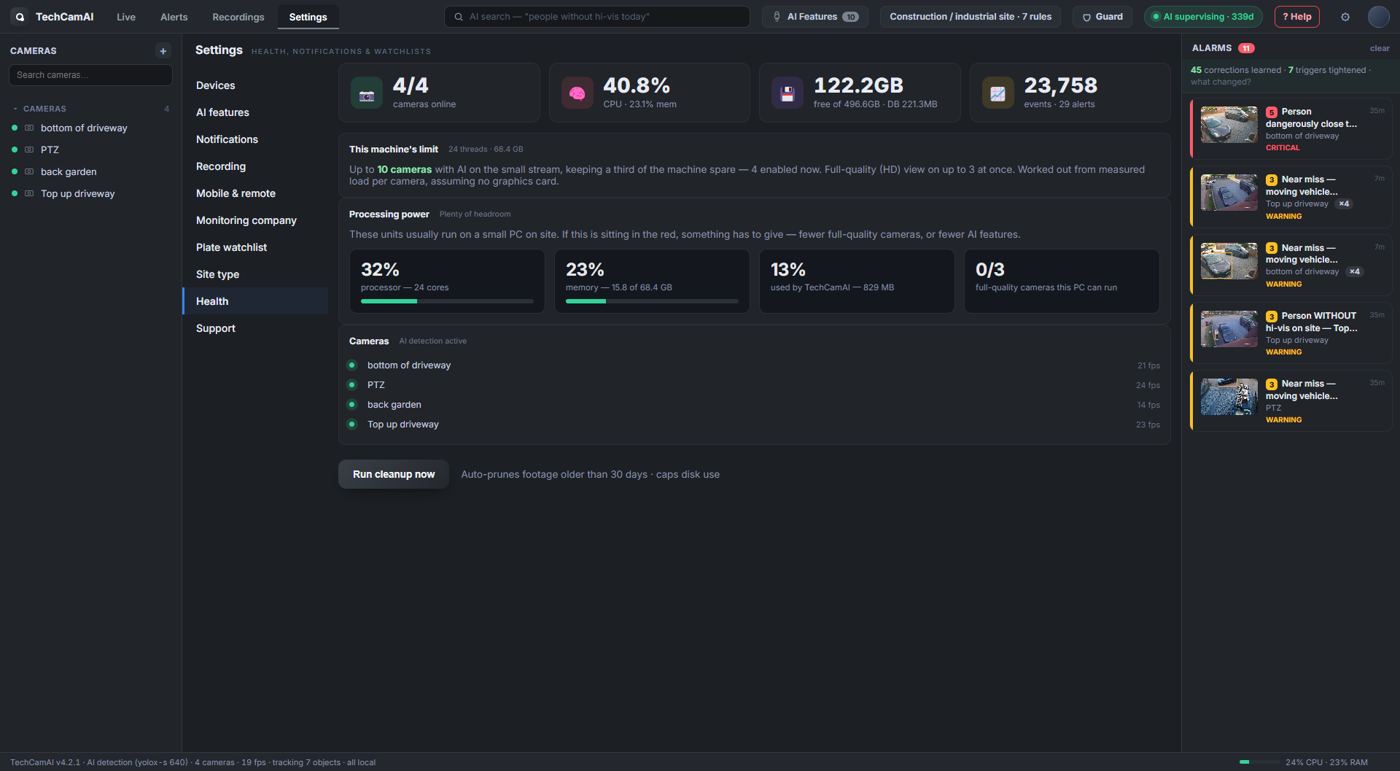
Health · capacity estimate · storage · per-camera status
14 · HELP
One button checks everything
Top right, "? Help". It runs the installer checks (version, licence, network, cameras, AI, disk), tells you what to fix, and can send a report to us with one click.
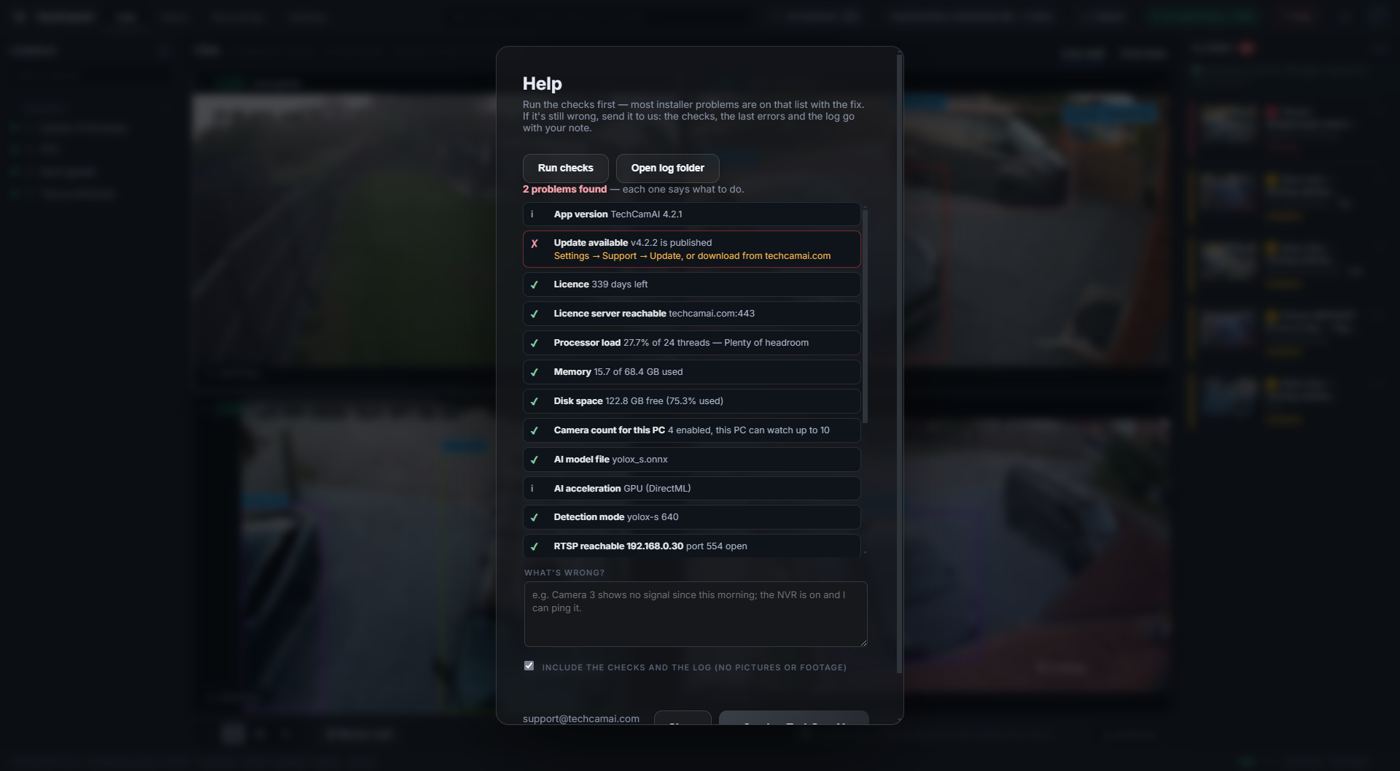
Help · installer checks · update check · send a report
Try it on your own cameras
Three days free, the whole product, no card needed.